Citation formatter
Atıf Biçimlendirici (Citation formatter) writes a citation to a court decision in one consistent form. You enter the court, the docket (esas) and decision (karar) numbers and the decision date; the citation appears below as you type. Use it to cite the same decision the same way every time, in a petition, a contract or a note.
Workspace → Evrak Üretimi (Document drafting) → Atıf Biçimlendirici
Step by step
- In the workspace, open Atıf Biçimlendirici under the Evrak Üretimi heading.
- In Mahkeme / daire (Court / chamber), type the court or chamber that gave the decision, for example "Yargıtay 3. Hukuk Dairesi".
- In Esas no (Docket no.) and Karar no (Decision no.), enter the numbers as the decision writes them, for example "2025/3101" and "2025/4808".
- Pick the date in Karar tarihi (Decision date).
- In Biçim (Format), choose Tam atıf (Full citation) or Kısa biçim (Short form).
- Check the citation in the box below, then click Kopyala (Copy) or İndir (Download).
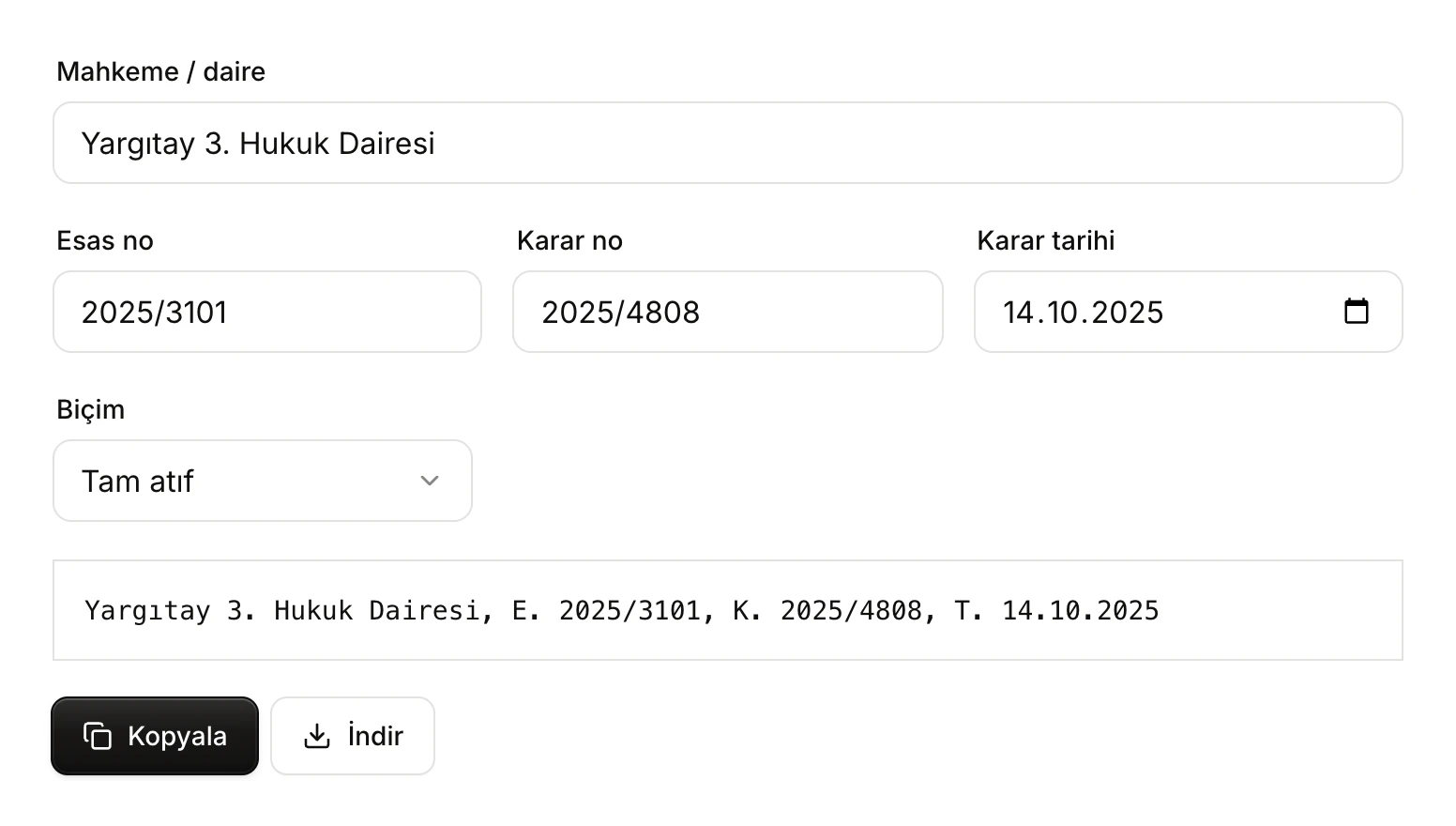
- Mahkeme / daire: appears at the start of the citation exactly as typed.
- Esas no, Karar no and Karar tarihi: the numbers are used as you type them; the date is written as day.month.year.
- Biçim: Tam atıf or Kısa biçim.
- The citation. It updates as soon as you change a field.
- Kopyala puts the citation on the clipboard; İndir saves it as a text file.
The fields
Mahkeme / daire (Court / chamber)
The name of the court or chamber that gave the decision. The tool does not change, abbreviate or correct it; what you type is what the citation shows. Write the same chamber the same way every time ("Yargıtay 3. Hukuk Dairesi" and "Yargıtay 3. HD" are two different spellings).
Esas no and Karar no (Docket and decision numbers)
Enter the numbers in "year/sequence" form, as the decision writes them (for example "2017/2594"). The tool does not check these fields: a missing or wrong number goes into the citation as it is. Do not type the "E." and "K." abbreviations yourself; the format adds them.
Karar tarihi (Decision date)
Pick the date from the calendar or type the day, month and year. The citation writes it as "day.month.year" after the abbreviation "T." (for example "T. 14.10.2025"). If you clear the date, the full citation is built without one.
Biçim (Format)
The tool offers two formats:
| Format | How it is written | Example |
|---|---|---|
| Tam atıf (Full citation) | Court, E. docket no., K. decision no., T. date | Yargıtay 3. Hukuk Dairesi, E. 2025/3101, K. 2025/4808, T. 14.10.2025 |
| Kısa biçim (Short form) | Court docket no. E. decision no. K. | Yargıtay 3. Hukuk Dairesi 2025/3101 E. 2025/4808 K. |
Tam atıf includes the decision date, with the parts separated by commas. Kısa biçim has no date and puts "E." and "K." after the numbers. Even if you entered a date, the short form does not show it.
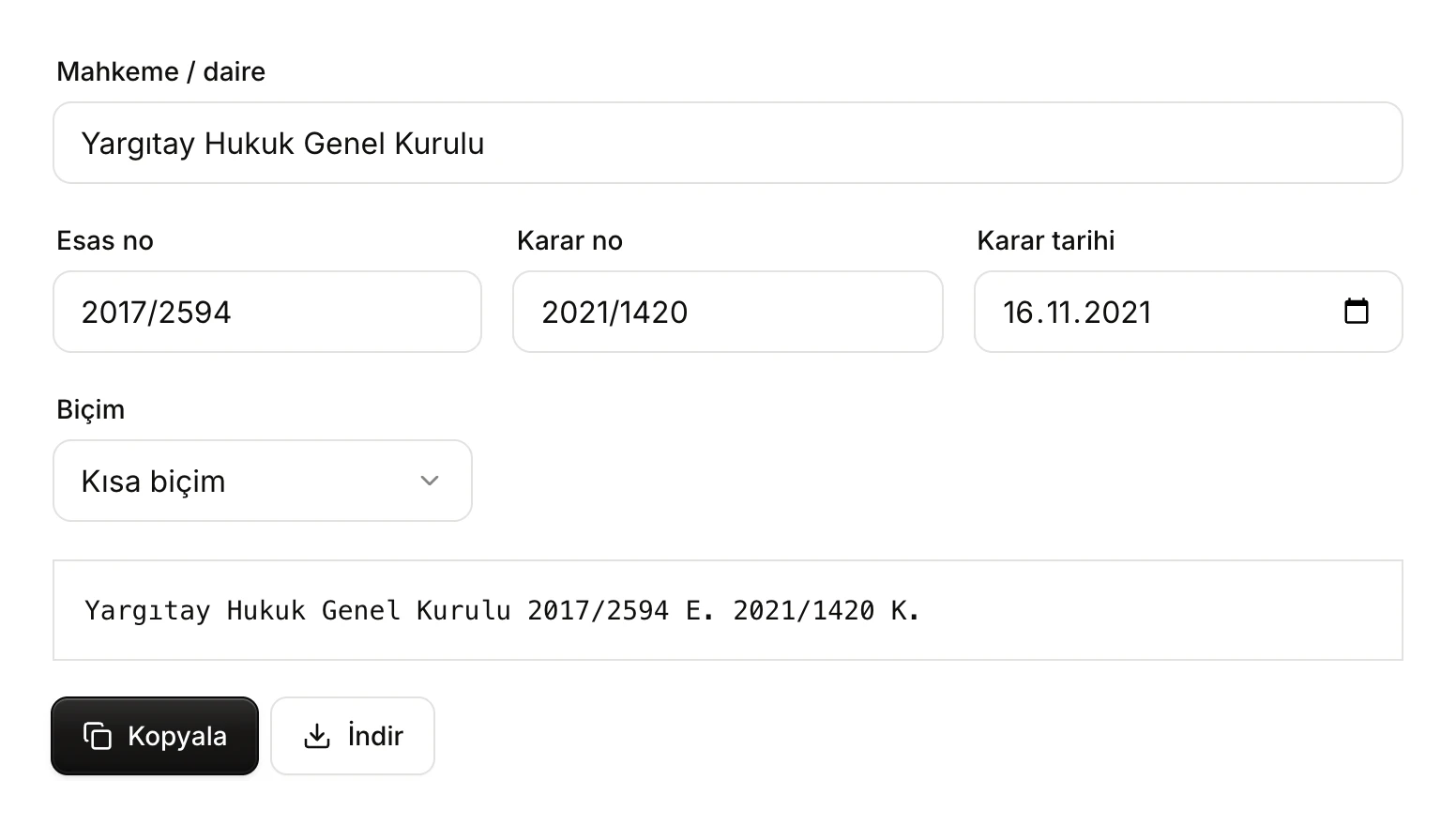
- Kısa biçim is selected.
- The citation in the short form: no date, and "E." and "K." after the numbers.
Using the citation
- Kopyala (Copy): puts the citation on the clipboard, and a "Panoya kopyalandı" (Copied to clipboard) notice appears in the corner of the screen. Then paste it into your petition or document.
- İndir (Download): downloads the citation as a plain text file named "atif.txt".
The tool does not save what you enter or keep a list of citations. When you leave and come back, the fields show the sample values again; if you are preparing several citations, copy each one once it is built.
Examples
The same decisions in both formats:
| Decision | Tam atıf | Kısa biçim |
|---|---|---|
| Yargıtay 3. Hukuk Dairesi, 14.10.2025 | Yargıtay 3. Hukuk Dairesi, E. 2025/3101, K. 2025/4808, T. 14.10.2025 | Yargıtay 3. Hukuk Dairesi 2025/3101 E. 2025/4808 K. |
| Yargıtay Hukuk Genel Kurulu, 16.11.2021 | Yargıtay Hukuk Genel Kurulu, E. 2017/2594, K. 2021/1420, T. 16.11.2021 | Yargıtay Hukuk Genel Kurulu 2017/2594 E. 2021/1420 K. |
| Yargıtay 4. Hukuk Dairesi, 16.09.2019 | Yargıtay 4. Hukuk Dairesi, E. 2019/2088, K. 2019/3927, T. 16.09.2019 | Yargıtay 4. Hukuk Dairesi 2019/2088 E. 2019/3927 K. |
Limits and things to check
- The tool only formats what you type. It does not check that the decision exists or that the numbers and date are right. Compare the citation with the decision itself before you use it; you can find the decision with Case-law search and open it in the document reader.
- You cannot paste a finished citation and have it split into its parts; each item goes into its own field.
- No citation style other than the two formats (for example a footnote or bibliography style) is offered.
- The tool does not use AI and does not count against your usage limit.