The document reader
The document reader shows a decision or a law from the legal database in full, split into readable sections. Vesika AI's citations, Case-law search results and links from other tools all open in this reader. It works in two forms: in the side panel on the right of the workspace, and as a separate page in the browser (vesika.ai/belge/…). Search, copying, PDF and printing work the same in both.
Click a citation in an answer, a statute link or a search result. As a separate page: a vesika.ai/belge/… address.
Step by step
- Click a number ([1], [2]…) in a Vesika AI answer, an underlined statutory article, or a row in the Kaynaklar (Sources) list.
- The document opens in the side panel on the right, with the passage or article the citation relies on highlighted.
- To look for a word in the document, click the magnifier button or use ⌘ F (Ctrl F on Windows).
- Click PDF to save the document, or the printer button to print it.
- To read the document as a full page, use the Yeni sekmede aç (Open in new tab) button.
Ways to open a document
- A numbered citation in an answer: a decision opens at the passage that the citing sentence relies on, and the passage is highlighted.
- A statute link (e.g. "TBK m. 72"): the law opens at that article. If a paragraph is given, only that paragraph is highlighted; for a range of articles, the whole range is.
- The Kaynaklar list and Bağlam (Context) → Kaynaklar in the side panel: clicking a row opens the document.
- Case-law search and other tools' results: open in the same side panel (Case-law search).
- Address: paste a document's address into the browser to open it as a separate page.
If you click a link with ⌘ (Ctrl on Windows) or Shift held, or with the middle button, the document opens in a new browser tab.
Addresses of laws
You can open a law by its number or abbreviation, without knowing its document ID:
| Address | Opens |
|---|---|
vesika.ai/belge/kanun/6098 | The Turkish Code of Obligations |
vesika.ai/belge/kanun/TBK | The same law, by abbreviation |
…/kanun/6098#madde-344 | Article 344 |
…/kanun/6098#madde-344-fikra-1 | Paragraph 1 of article 344 |
…/kanun/4721#madde-24-ila-25 | Articles 24 to 25 |
…/kanun/6098#madde-49,madde-58 | Several articles |
…#gecici-madde-1, …#ek-madde-3 | Provisional and additional articles |
For a law that is not in the legal database, the notice Bu kanun hukuk veritabanında bulunamadı (This law was not found in the legal database) appears.
The reader in the side panel
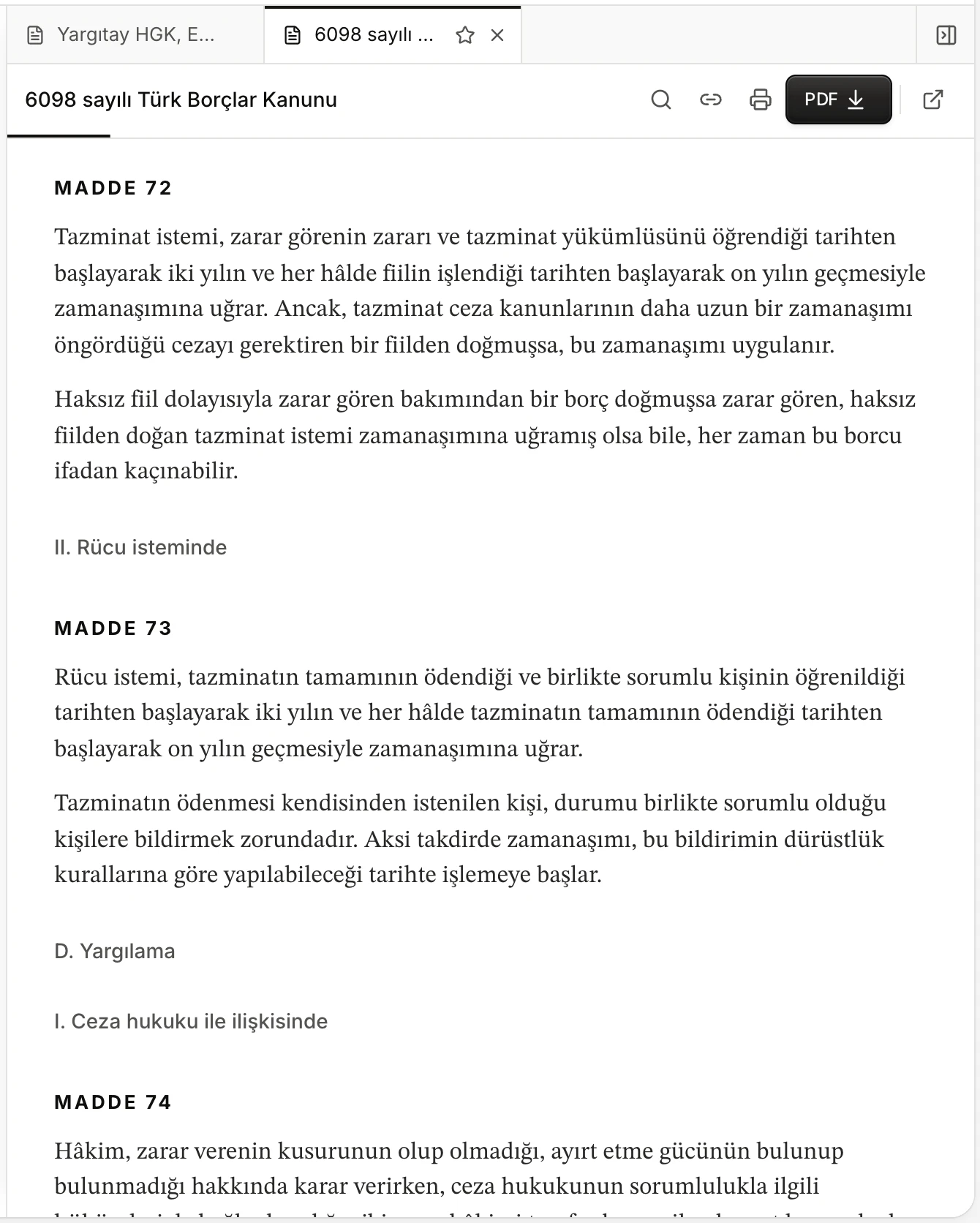
- The document's tab. Tabs are described in The side panel.
- The document's reference.
- The panel opens directly at the article the link points to and briefly highlights it.
In the panel, the document's top bar holds, from left to right: the reference, Metinde ara (Search in text), Bağlantıyı kopyala (Copy link), Yazdır (Print), PDF, Yeni sekmede aç (Open in new tab) and, where relevant, Kapat (Close). The thin line under the header shows how much of the document you have read.
The panel takes focus when it opens, so right after clicking a citation you can search that document with ⌘ F.
The document's page
Opened as a separate page, the reader shows a Bölümler (Sections) list on the left on wide screens.
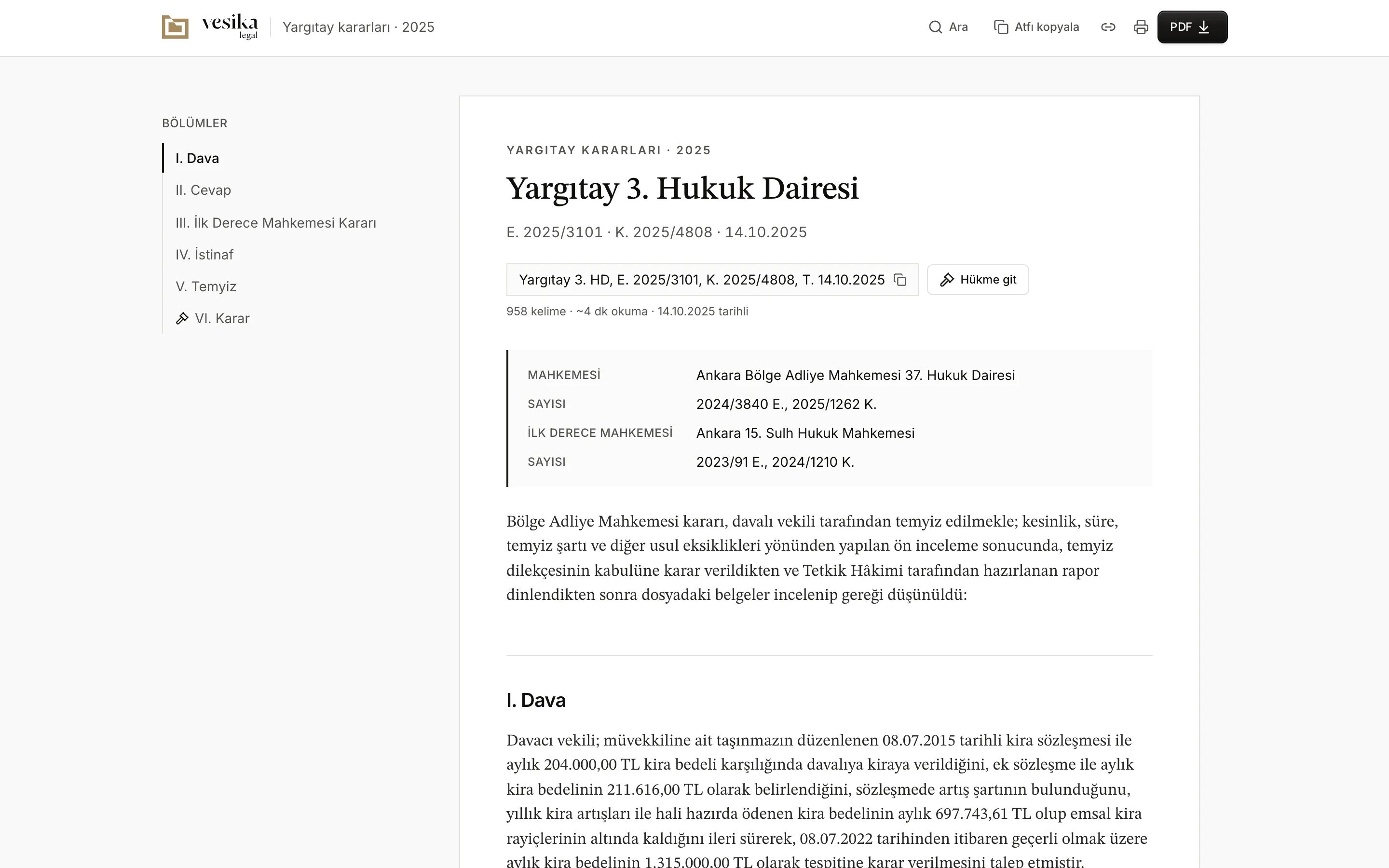
- The Vesika logo: back to the workspace.
- Ara (Search), Atfı kopyala (Copy citation), copy link, print and PDF.
- Bölümler (Sections): the document's headings. The section you are reading is marked; click one to jump to it.
- The name of the court or law, with the docket number, decision number and date below.
- The reference. Click to copy it.
- Hükme git (Go to the ruling): jumps to the decision's ruling.
- Word count, estimated reading time and the document's date.
The top of the document
- At the very top is the section the document belongs to (e.g. Yargıtay kararları · 2025, Court of Cassation decisions; Mevzuat · Kanunlar, Legislation · Laws).
- The heading is the name of the court or law; below it are the docket and decision numbers and date, or the law's adoption and Official Gazette details.
- Clicking the reference box copies the reference to the clipboard (Atıf kopyalandı, Citation copied). Take the reference you cite from here rather than typing it.
- Hükme git appears on decisions that have a ruling section. The ruling is set off in the text with a gavel icon and a light background.
- Next to the word count are the estimated reading time (about 220 words a minute), the document's date and, for amended legislation, the date of the last change.
- Under a decision, details such as the court, the file numbers and the first-instance court are listed in a box; for laws, the law number, adoption date and Official Gazette details.
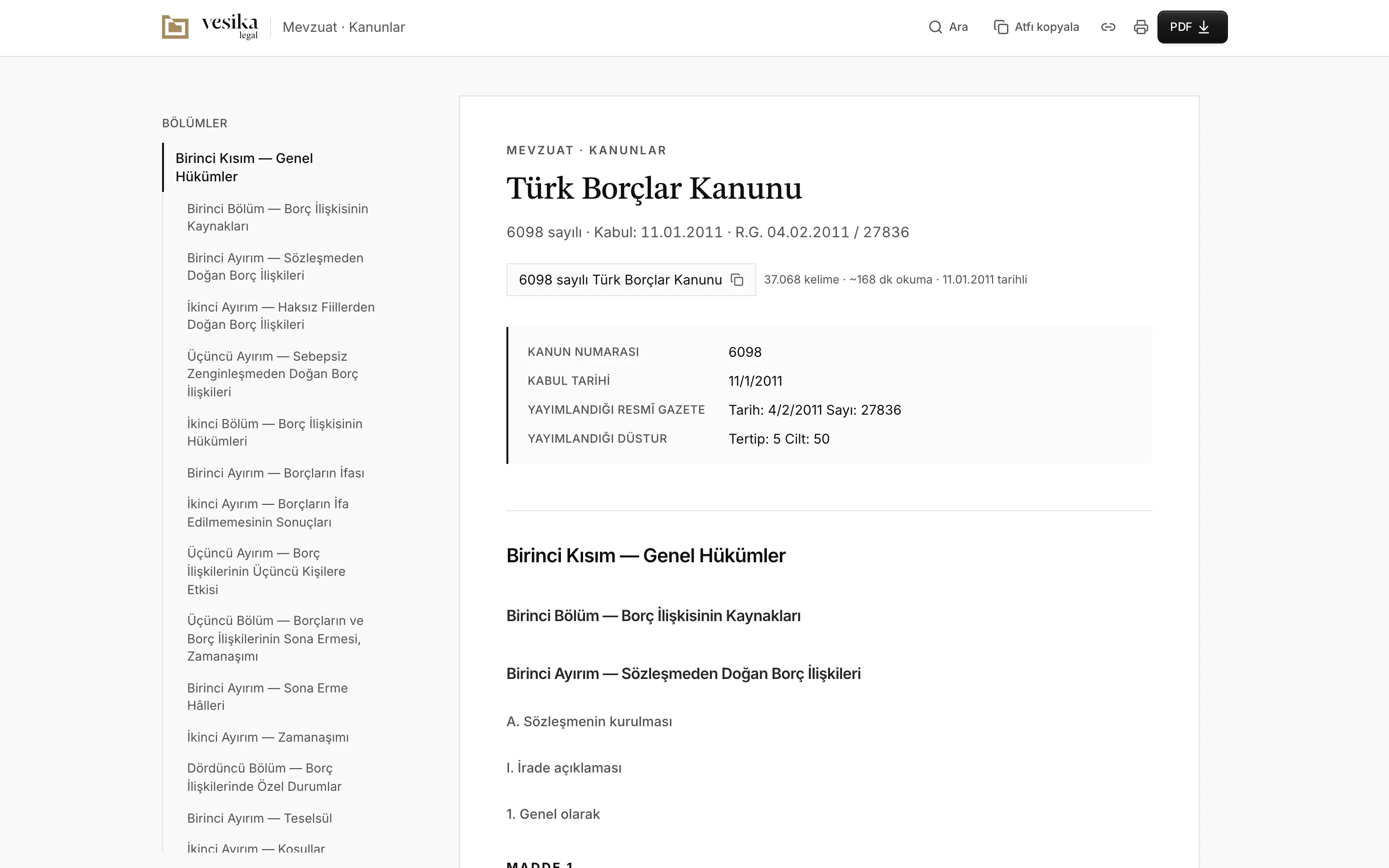
- The document's section.
- For laws, the Bölümler list is made of the part, chapter and division headings.
- The law's reference. Click to copy it.
- Law number, adoption date and Official Gazette details.
On narrow screens the Bölümler list sits behind a Bölümler button and opens as a sheet from the left. In the side panel the same button opens the list above the document.
Search in text
Metinde ara (⌘ F / Ctrl F) opens a search field in the top bar. The word you type is highlighted in the document, and next to the field you see which match you are on and the total number of matches.
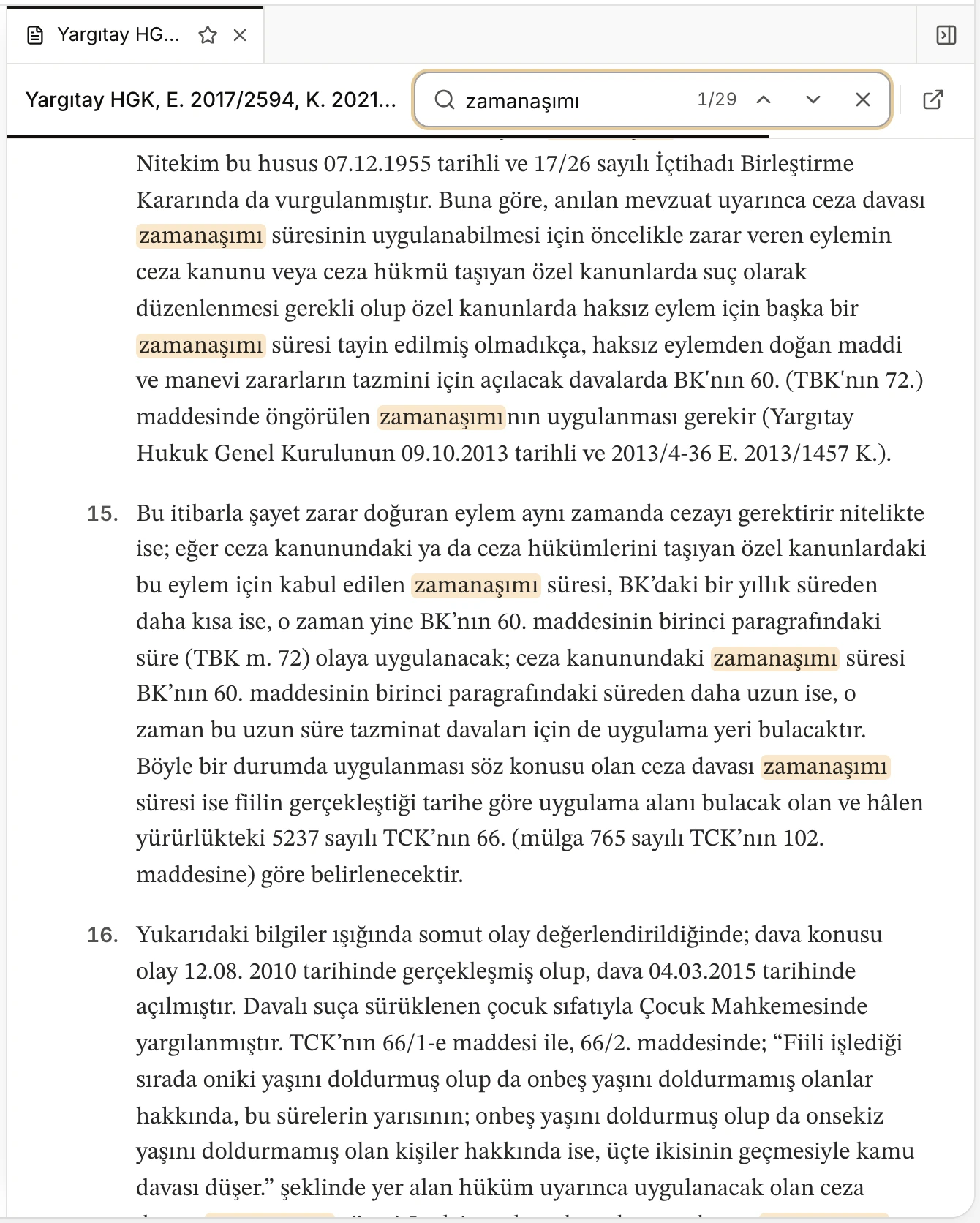
- The search field and number of matches.
- Önceki (Previous, Shift Enter)
- Sonraki (Next, Enter)
- Matches are highlighted; the selected match is brought to the middle of the screen.
Esc or × closes the search and removes the highlights. The search also covers the box of decision details.
Versions of legislation
For an amended statutory provision, the reader can also show the document's earlier texts. On such a document a Sürüm (Version) menu appears next to the reference:
- Güncel metin (Current text) is the text in force.
- Options such as "12 Mart 2021 öncesi metin" (text before 12 March 2021) open earlier texts, each dated the day it changed. When you open an earlier text an Eski sürüm (Old version) notice appears, saying on what date the text changed and that it is not the text in force. Güncel metne dön (Back to the current text) returns to the text in force.
- Farkları göster (Show differences) compares the open text with another one; choose the other text from the ile: (with) menu. Clicking an article in the comparison takes you to it in the text. Farkları gizle (Hide differences) closes the comparison.
Documents without versions do not show this menu. When you verify a citation, especially for an event some time ago, check which text was in force on that date.
PDF, printing and copying
- PDF downloads the document as an A4 PDF with Vesika letterhead, watermark and footer. The file is named after the document's reference, and the PDF shows the document's address on vesika.ai. If you opened an earlier version, the PDF is made from that version.
- Yazdır (Print, ⌘ P / Ctrl P) prints the same PDF, not the web page. In Safari the PDF opens in a new tab; print from there.
- Atfı kopyala copies the reference, Bağlantıyı kopyala copies the document's vesika.ai address to the clipboard.
At the end of the document are its source, a note that the text is taken verbatim from the source, and the document's address:
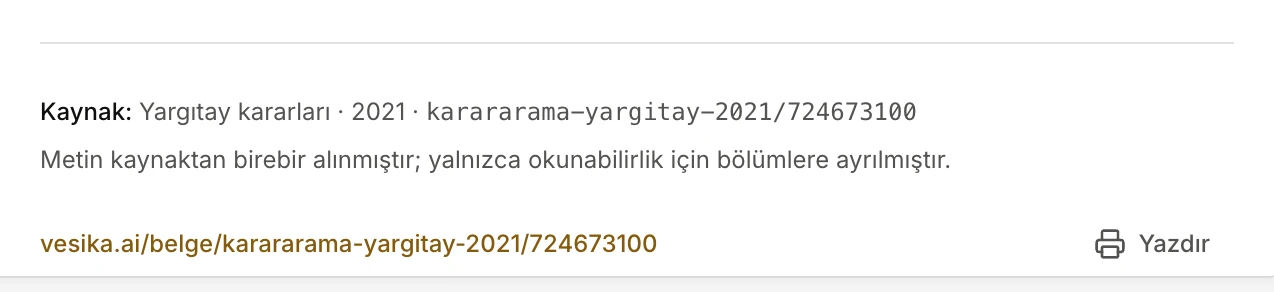
- The document's source and its ID in the database.
- The document's shareable address.
- Yazdır (Print)
The text in the reader is taken verbatim from the source; it is only split into sections for readability.
Sharing a document
The address you get with Bağlantıyı kopyala has the form vesika.ai/belge/<source>/<id>. If you opened an earlier version, that version's date is added to the address (such as ?surum=2021-03-12), so the recipient sees the same text.
- To read the document, the recipient must be signed in with a Vesika account. Someone who is not signed in sees the Giriş gerekli (Sign-in required) notice and a Giriş yap (Sign in) button.
- When you share the link in Slack, WhatsApp or e-mail, the preview shows the document's name and an image drawn for it. The preview only contains what the address itself reveals (the document's section, or the law's name), never its text.
Limits and things to check
- If a document cannot be loaded, the notice Belge açılamadı (The document could not be opened) appears. If the problem is temporary, try again with Yüklenemedi, tekrar dene (Could not load, try again).
- Not every law mentioned in an answer may be in the database; its link then does not open or is not created at all.
- The highlighted passage is meant to show where the citation relies. Read it yourself to check that it really supports the statement in the answer.