History and favorites
Geçmiş (History) is the list of what you did in Vesika: your Vesika AI conversations and your work in the tools (a case-law search, a draft, a review, work you saved in a module). Favoriler (Favorites) keeps the tools and items you starred in one place. Both are saved to your account, so you see the same lists whichever computer you sign in from.
Section rail → Geçmiş (the clock icon) and Favoriler (the bookmark with a star). The clock button in a tool's header also opens that tool's history.
History
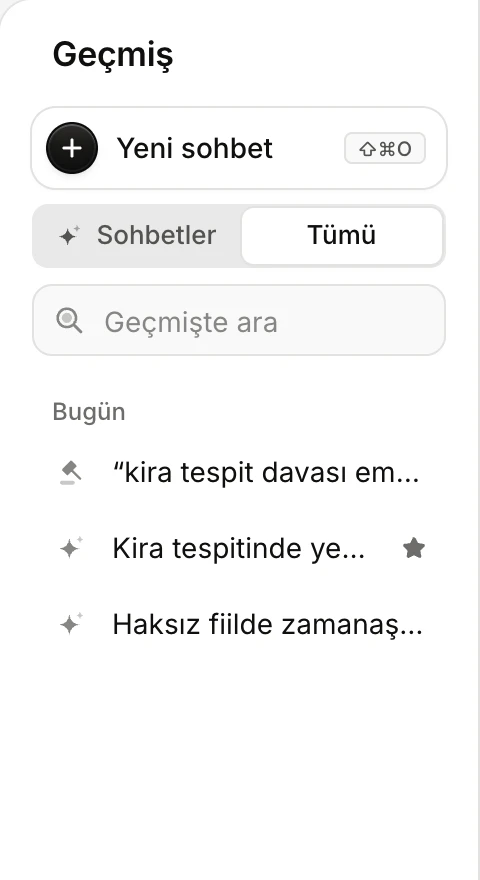
- The open tool's history (here Sohbetler, Conversations) or Tümü (All).
- Geçmişte ara (Search history): searches titles, and the content of conversations too.
- Items are grouped by date.
- Each row is an item; the icon on its left shows the tool it came from. A star marks a favorite.
The open tool or All
History opens on the open tool's items. The first option of the switch at the top carries that tool's name (Sohbetler, Conversations, in Vesika AI); Tümü (All) shows items from every tool. In Tümü each row starts with its tool's icon. When you move to another tool, the list opens on that tool's items again.
The clock button in a tool's header (… geçmişi, … history) opens the panel straight on that tool's history.
Date groups
Items are listed newest first under these headings: Bugün (Today), Dün (Yesterday), Son 7 gün (Last 7 days), Son 30 gün (Last 30 days), Daha eski (Older). Conversations load as you scroll down; meanwhile it reads "Daha eski sohbetler yükleniyor…" (Loading older conversations…).
Opening an item
Click the row. A conversation opens where you left it; a tool's item opens the tool on that item's screen. If an answer is still being written in a conversation, a spinning icon shows on the right of its row.
Searching
Type in the Geçmişte ara (Search history) box to filter the list (in Vesika AI the box is called Sohbetlerde ara, Search conversations). Items are matched by title; conversations are searched across their whole history, content included. When nothing matches, the panel says so. Clear the search with × or Esc.
A row's menu
Move the mouse over a row and a … button appears on its right (on touch screens it is always visible).
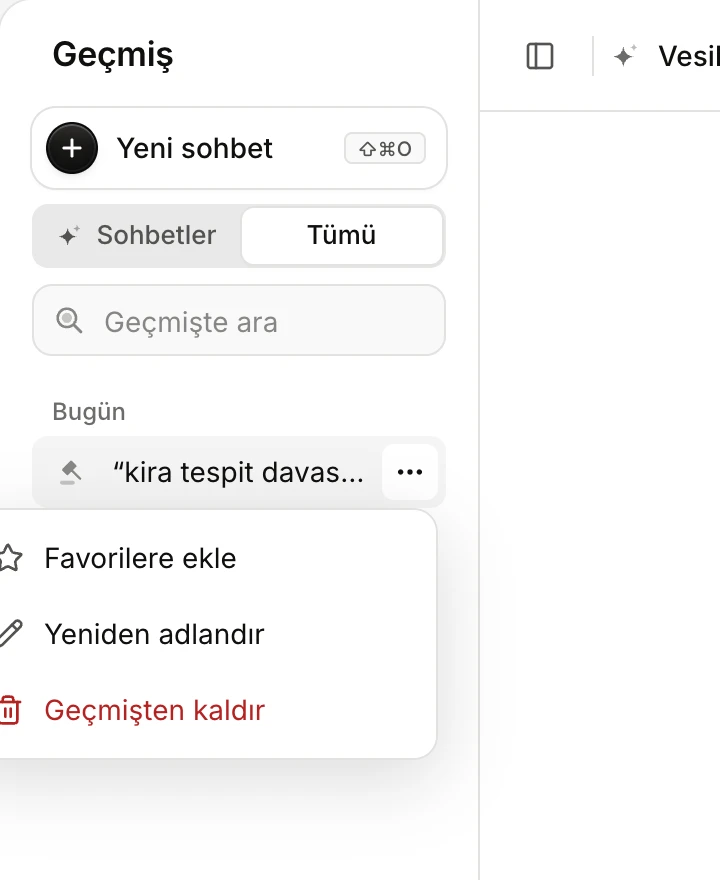
- Favorilere ekle (Add to favorites) / Favorilerden çıkar (Remove from favorites).
- Yeniden adlandır (Rename): the row turns into a text field.
- Sil (Delete) for conversations, Geçmişten kaldır (Remove from history) for other items.
- Favorilere ekle (Add to favorites): stars the item; it is also listed in Favoriler and its row shows a star. Favorilerden çıkar removes the star.
- Yeniden adlandır (Rename): type the new name and press Enter or click outside the field; Esc cancels. If the name cannot be saved, a "Ad değiştirilemedi" (Could not rename) notice appears.
- Sil (Delete, for conversations): you are asked "Sohbet silinsin mi?" (Delete the conversation?). Sil deletes its messages and attachments for good; Vazgeç (Cancel) keeps it.
- Geçmişten kaldır (Remove from history, for other items): you are asked "Geçmişten kaldırılsın mı?" (Remove from history?). Kaldır (Remove) takes the item off this list only; the work the tool saved is not deleted.
More on conversations: Managing conversations.
Favorites
The Favoriler (Favorites) section shows everything you starred in one place.
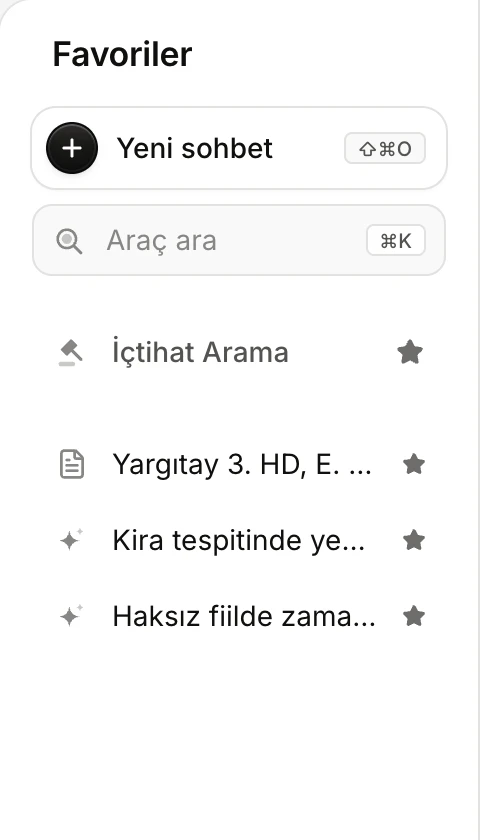
- Starred tools.
- Favori kayıtlar (Favorite items): starred conversations, answers, documents and files.
What you can star, and where:
| What | Where | Opening it from Favorites |
|---|---|---|
| A tool | The star on its row in the Çalışma alanı (Workspace) list | Opens the tool. Starred tools also sit at the top of the Çalışma alanı list. |
| A conversation or a tool's item | The … menu of its row in Geçmiş | Opens the conversation or item. |
| A single answer | In Vesika AI, the star under the answer (Favorilere ekle) | Opens the conversation at that answer. The answer is not listed separately in Geçmiş. |
| A document or decision in the side panel | The star on its tab | Opens the document in the side panel, beside whatever is on screen. |
| A file | The … menu of its row in Dosyalar (Files) | Opens the file in the side panel. |
When nothing is starred yet, the panel reads "Bir aracın ya da geçmişteki bir kaydın yıldızına dokunun; burada listelenir." (Tap the star of a tool or a history item; it will be listed here.)
To remove an item from favorites, click its star again or choose Favorilerden çıkar from its row's … menu. Starred answers, documents and files leave Favoriler only by being unstarred.
What is kept for your account?
- Geçmiş and Favoriler are saved to your account: you see the same lists when you sign in on another computer or browser. A tool you star in one tab is updated at once in your other open tabs.
- History and favorites are personal; others in your firm do not see your lists.
Limits and things to note
- Deleting a conversation cannot be undone.
- Geçmişten kaldır does not delete the work the tool saved; that work stays on the tool's own screen.
- In a phone's browser the panel shows only the Geçmiş and Araçlar (Tools) tabs; the Favoriler section is not available there.