The document reader on iPhone
Citations in Vesika AI answers, İçtihat Arama results, Favorites and vesika.ai document links open in the app's own document reader. It shows the decision or legislation split into readable sections; links that point at an article or a quoted passage highlight that place. The reader does not use AI.
Tap a citation, source, decision card or favorite; the reader opens on top of the current tab. Close it with Kapat (Close, ×) at the top left.
Step by step
- Tap a citation number or a row under Kaynaklar (Sources) in a Vesika AI answer, or a decision card in İçtihat Arama.
- The reader opens. If the link points at an article or a quotation, that place is brought to the top of the screen and highlighted.
- Move between headings with Bölümler (Sections) and search the text with the magnifier.
- Tap Kapat when you are done.
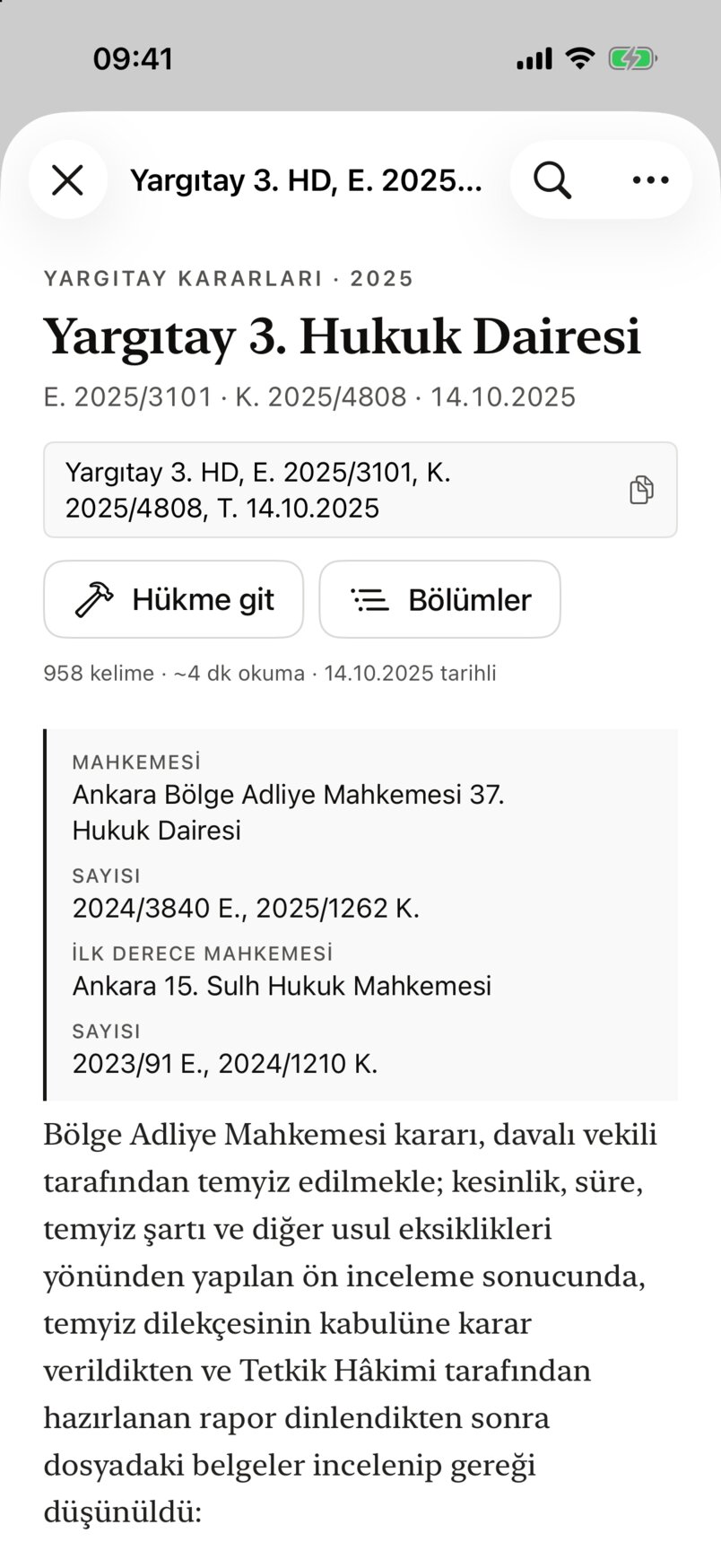
- Kapat (Close).
- The document's group, court, case and decision numbers and date.
- Citation box: tap it to copy the citation ("Atıf kopyalandı", citation copied).
- Hükme git (Go to the ruling): jumps to the decision's operative part.
- Bölümler (Sections): the list of headings.
- Word count, approximate reading time and the document's date.
- The document's details (court, numbers, first-instance court …); empty ones show "Belirtilmedi" (Not stated).
- Metinde ara (Find in text).
- Diğer (More): copying, sharing, PDF, printing, opening in the browser.
How the text is shown
- The text is set in a serif typeface in a readable column; all of it can be selected and copied.
- Main section headings have a thin line above them. A decision's operative part is marked with a hammer icon on its heading and a light tint.
- In legislation, article headings ("Madde 344") are bold; tap one to bring the article to the top.
- Tables scroll sideways. The end of the page names the source and notes "Metin kaynaktan birebir alınmıştır; yalnızca okunabilirlik için bölümlere ayrılmıştır." (The text is taken verbatim from the source; it is only split into sections for readability.)
The highlighted passage
When you open a document from a Kaynaklar row in an answer, or from an article link, the reader goes to the cited place:
- For article links (e.g. TBK m. 344) the article, or the paragraph if one is named, is placed near the top of the screen.
- If the source label in the answer names an article or a quotation, that place is found; in decisions, the quoted paragraph is centred.
- The highlighted place has a coloured bar on the left and a light background; it flashes more strongly for a moment when the document opens.
If the article the link names is not in the document, the reader does not guess: it opens at the top. The highlight is applied only when the document first opens.
Sections and Hükme git
Bölümler (Sections) opens a list of the document's headings; the one you tap is brought to the top and briefly tinted.
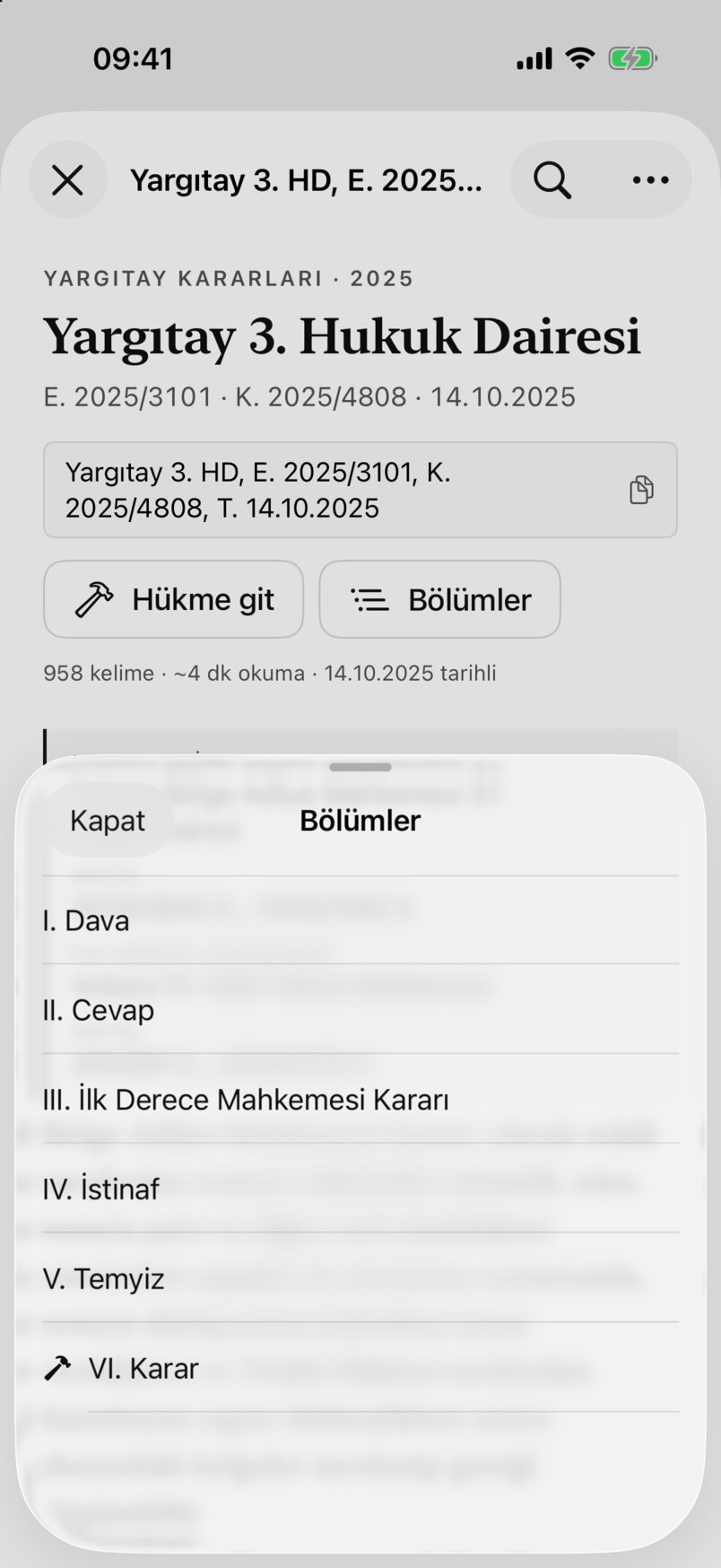
- Headings; sub-headings are indented.
- The hammer icon marks the operative part.
- Kapat (Close).
The Bölümler button appears only for documents with headings, and Hükme git only for decisions whose operative part could be identified.
Finding text
The magnifier at the top right (Metinde ara, Find in text) opens a search bar at the bottom:
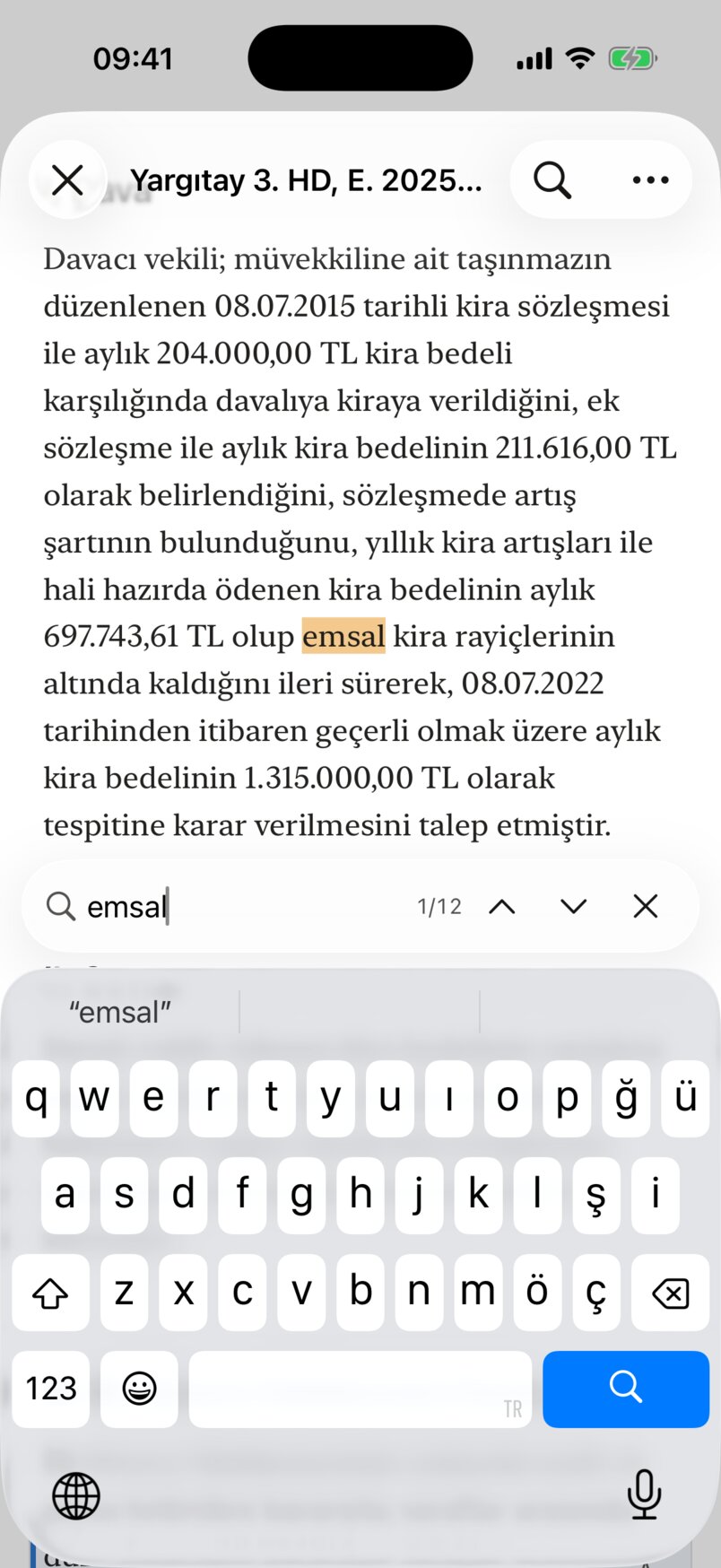
- The current match is highlighted strongly, the others lightly.
- The search term (at least 2 characters).
- Which match you are on ("1/12").
- Önceki (Previous) / Sonraki (Next); after the last it wraps to the first. The keyboard's Ara (Search) key also goes to the next.
- Aramayı kapat (Close search).
The search ignores case and Turkish accents, and also covers the document's details and tables.
Copying, sharing, PDF
The Diğer (More, …) menu at the top right:
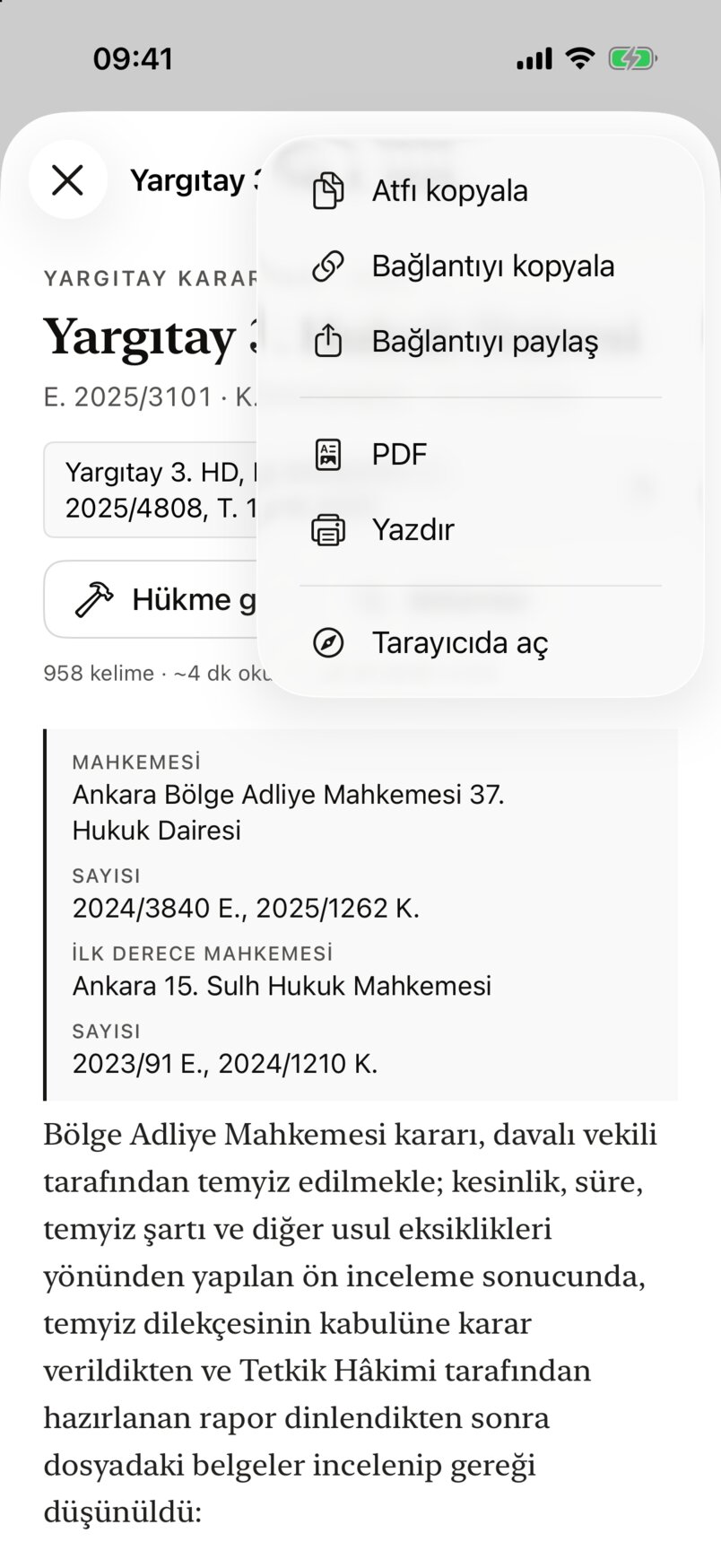
- Atfı kopyala (Copy the citation), Bağlantıyı kopyala (Copy the link), Bağlantıyı paylaş (Share the link): the document's citation or its vesika.ai link.
- PDF: previews the document's PDF, with Paylaş (Share) and Yazdır (Print). Yazdır opens printing directly.
- Tarayıcıda aç (Open in the browser): opens the document on vesika.ai in an in-app browser (you may be asked to sign in there).
A shared link looks like https://vesika.ai/belge/…; if the recipient has the app, it opens in the reader on their iPhone too. While you read an earlier version, the shared link and the PDF show that version.
Versions and differences
For amended legislation, a version button ("Güncel metin", current text) appears under the header:
- Pick an earlier text from it (such as "02.07.2026 öncesi metin": the text in force before it changed on that date). While you read an earlier text, an orange Eski sürüm (Old version) warning shows; Güncel metne dön (Back to the current text) returns.
- Farkları göster (Show differences) compares the text you are reading with another version (by default the current text with the previous version). Change the other text with the ile: (with:) button.
- In the comparison, removed paragraphs are red and struck through, added ones green, and in reworded paragraphs the changed words are coloured inline. Changes are grouped under article headings; tap a heading to go to that article in the text. Differences in spacing and footnote numbers are not shown.
- Farkları gizle (Hide differences) closes the comparison.
These buttons appear only for documents with earlier versions; decisions have none.
Limits and things to check
- One document is open at a time; a new link replaces the open one.
- Documents are not kept on the phone; the reader needs an internet connection. If a document cannot load, Belge açılamadı (The document could not be opened) appears with Yüklenemedi, tekrar dene (Could not load, try again).
- The reader has no star; star decisions from the İçtihat Arama results.
- The text is taken verbatim from the source; compare it with the official text before citing it.